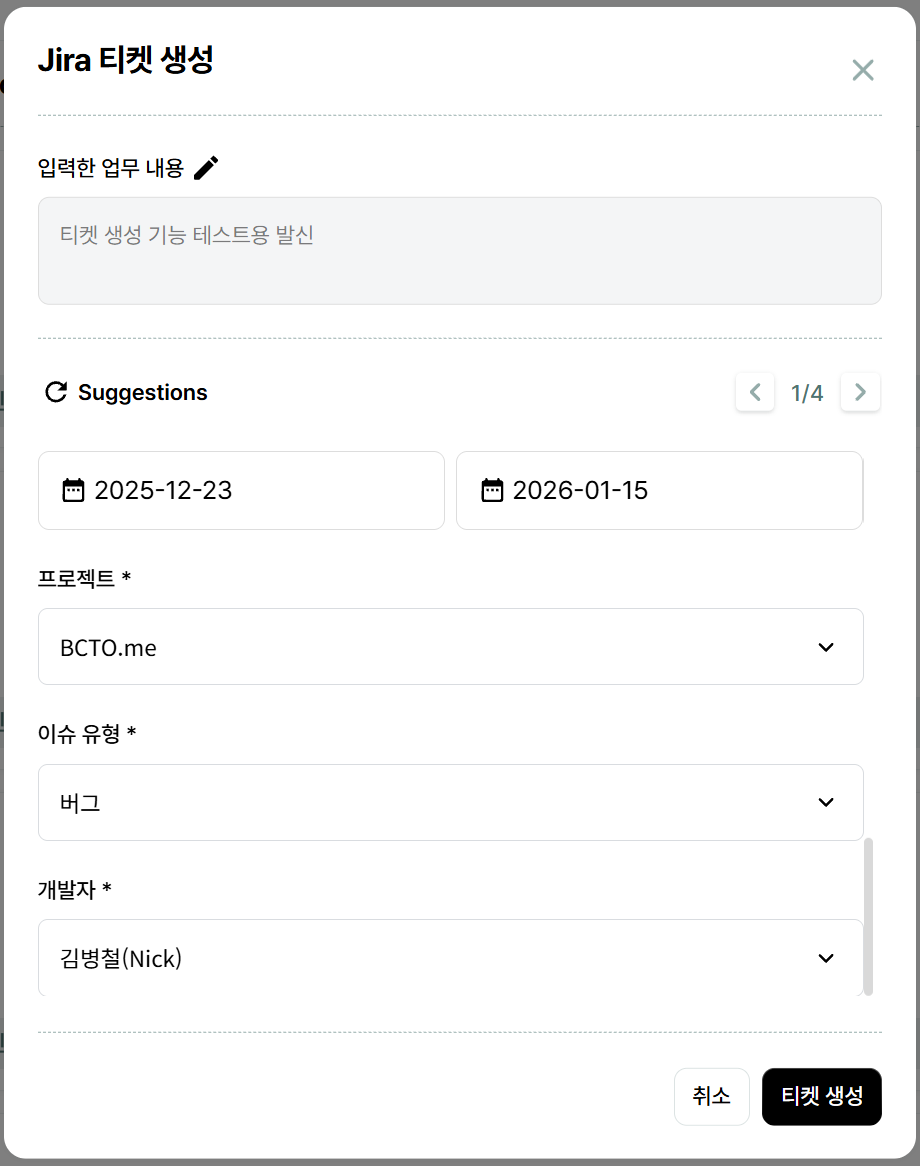
By clicking [Assign Task] at the bottom left,
you can issue tickets to developers through BCTO.
▲
By utilizing BCTO's ticket creation function, even if you simply input requirements,
the AI will analyze and organize them to automatically generate clear tickets that are easy for developers to understand.
*If you want tickets issued in a specific language, please specify that in the task details.
▲
Tickets are issued through Jira after selecting a project and assigning a developer.
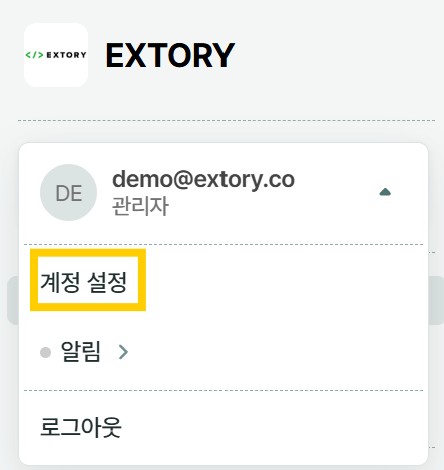
▲ Click [Account Settings] in the top left of the homepage.
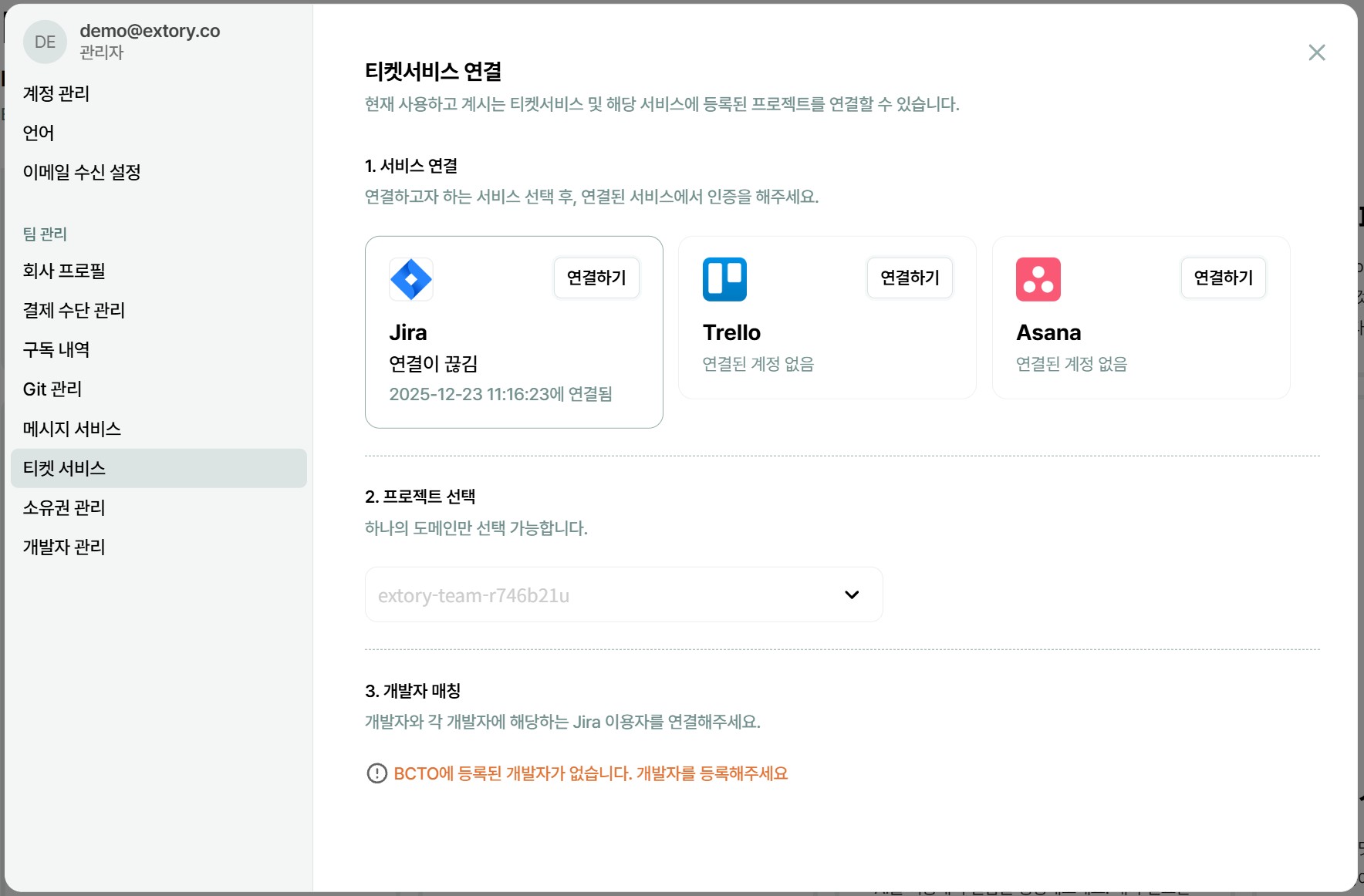
▲ Click [Ticket Service] in the left menu and change settings.
Through these functions,
you can grasp the work status in BCTO
and identify available resources to allocate tickets in BCTO for areas needing improvement or additional features.
 BCTO 소개자료 Business Presentation_업데이트 2025년 8월 21일 기준 (1)_3da1e723-5722-416b-afb4-3d7ae51ee808png)
 BCTO 소개자료 Business Presentation_업데이트 2025년 8월 21일 기준 (3)_c06413ee-5d35-490a-925c-45ea2bd944cfpng)
 BCTO 소개자료 Business Presentation_업데이트 2025년 8월 21일 기준 (5)_d2bfd98c-3a00-40a6-bc40-622414b25d72png)