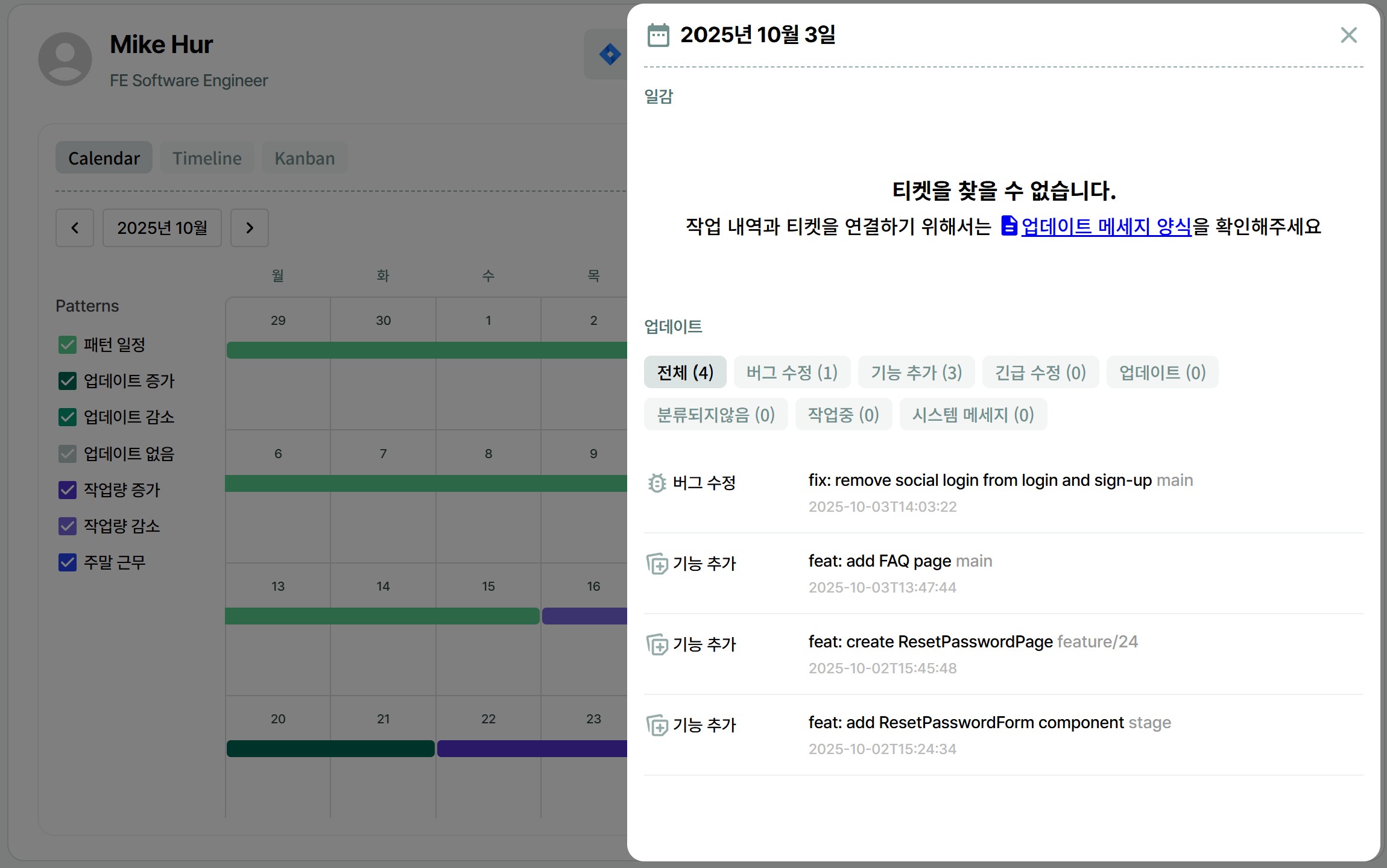
Commit messages are the work of developers.
They are notes left when editing and saving code, such as adding features or fixing bugs, to make it easier to track previous work.
.
BCTO classifies and displays which task this message corresponds to and what type of update it is.
View update messages on [Home]
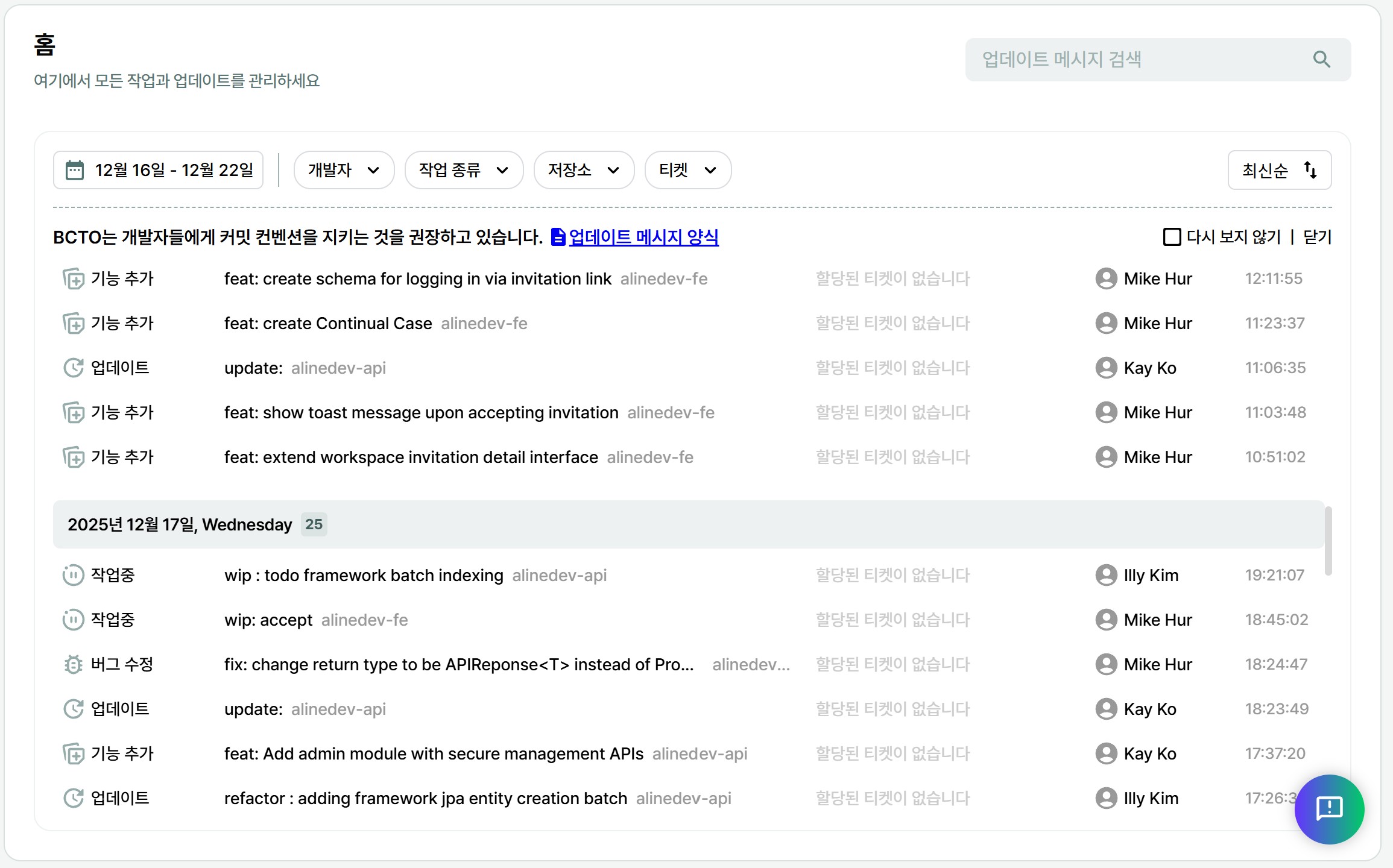
[Home]
You can check the development status and progress of the entire development team at a glance.
You can also check the person in charge of the task.
▲ Clicking this will take you to the actual Git page
to view detailed code and content.
View update messages via [Open Log] on the [Individual Developer Page]
▲ You can also check these update messages through the Open Log
on the individual developer's page.
▲ You can see which parts each developer is focusing on.
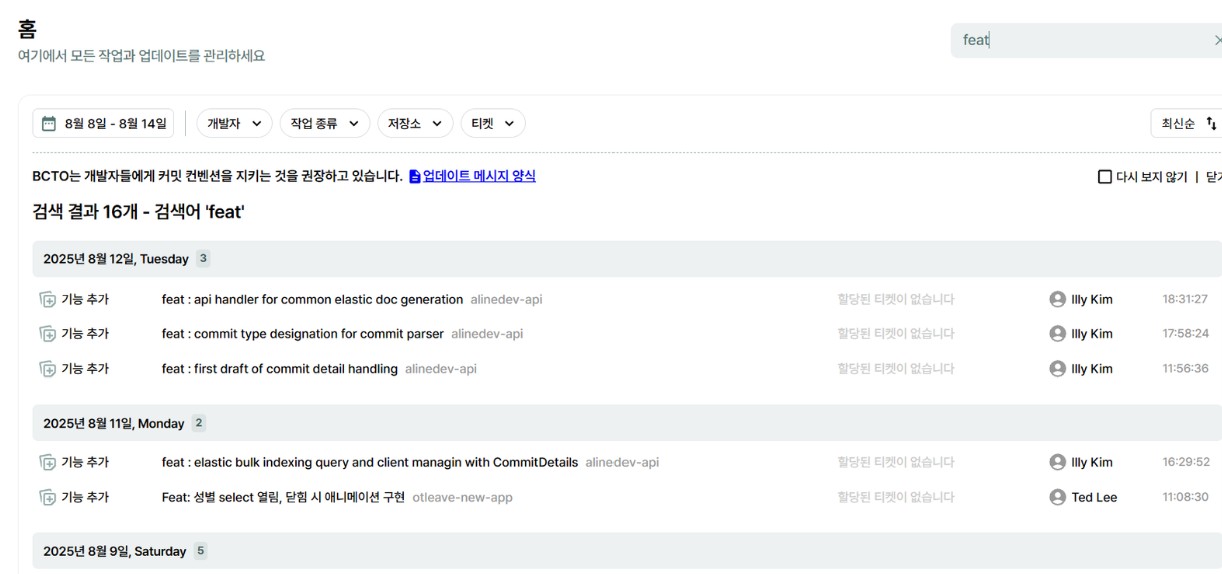
Search for specific update history on [Home]
By entering search terms such as feat (addition), fix (correction), add (addition) in the search bar,
you can view only the tasks related to the search term from the entire development team's work.
 BCTO 소개자료 Business Presentation_업데이트 2025년 8월 21일 기준_331e9c67-7486-4b4a-9962-8ac84d1c46cepng)